Java -D System Properties Explained: Syntax, Precedence, and Examples
Publication Date:
Updated:
INFORMATION > Java -D System Properties Explained: Syntax, Precedence, and Examples
Bottom line: Place -Dname=value before the main class or -jar argument to define a JVM system property. Java code reads it with System.getProperty("name"); it is not the same thing as an operating-system environment variable.
What you'll learn
- How the Java launcher parses
-Doptions and where the value is stored. - How to inspect properties without leaking secrets into command lines or process listings.
- How the original Java 11 example maps to current supported JDK releases.
Who this is for: Java developers and operators diagnosing environment-specific application configuration.
2026 context: The mechanism remains current, but use a secrets manager or protected configuration source for credentials. The walkthrough below records the original Java 11 test and should not be read as a recommendation to put secrets in -D arguments.
Overview
Java options often include values such as -Djava.util.logging.manager=org.apache.juli.ClassLoaderLogManager, whether the application is launched from a shell or an IDE such as Eclipse.
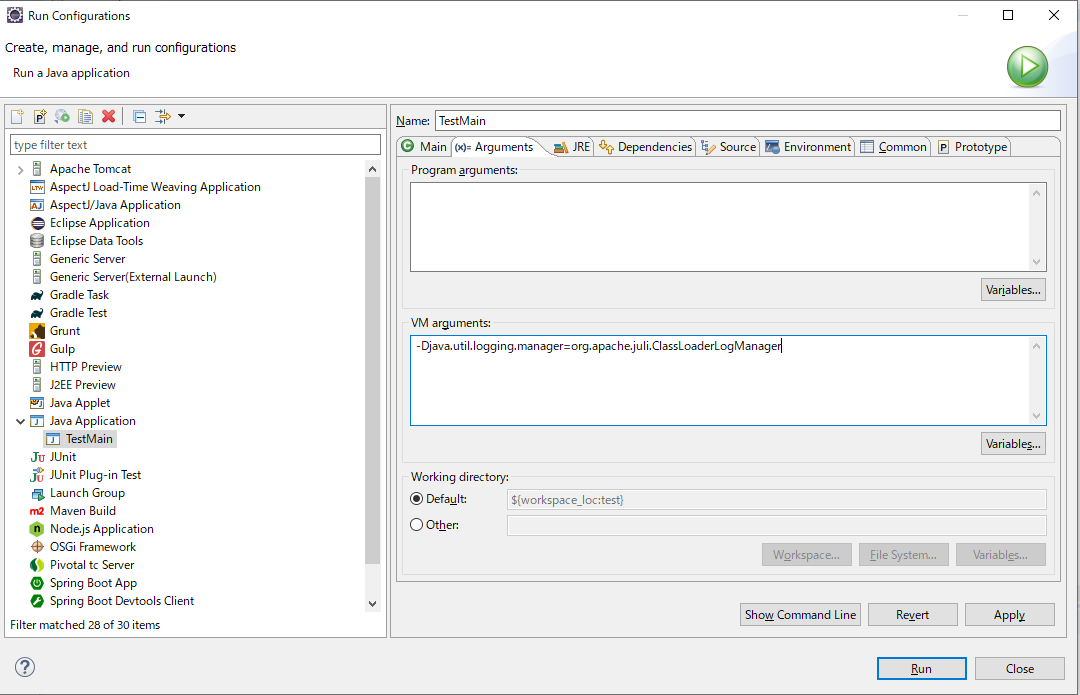
This article shows how a -Dname=value option becomes a Java system property.
Table of Contents
1. What does the -D option do?
The Java launcher uses -Dname=value to define a system property in the new JVM. The option must appear before the main class name or the -jar argument.
The following example defines a property named test and reads it from Java code.
1-1. Reading a property in Java
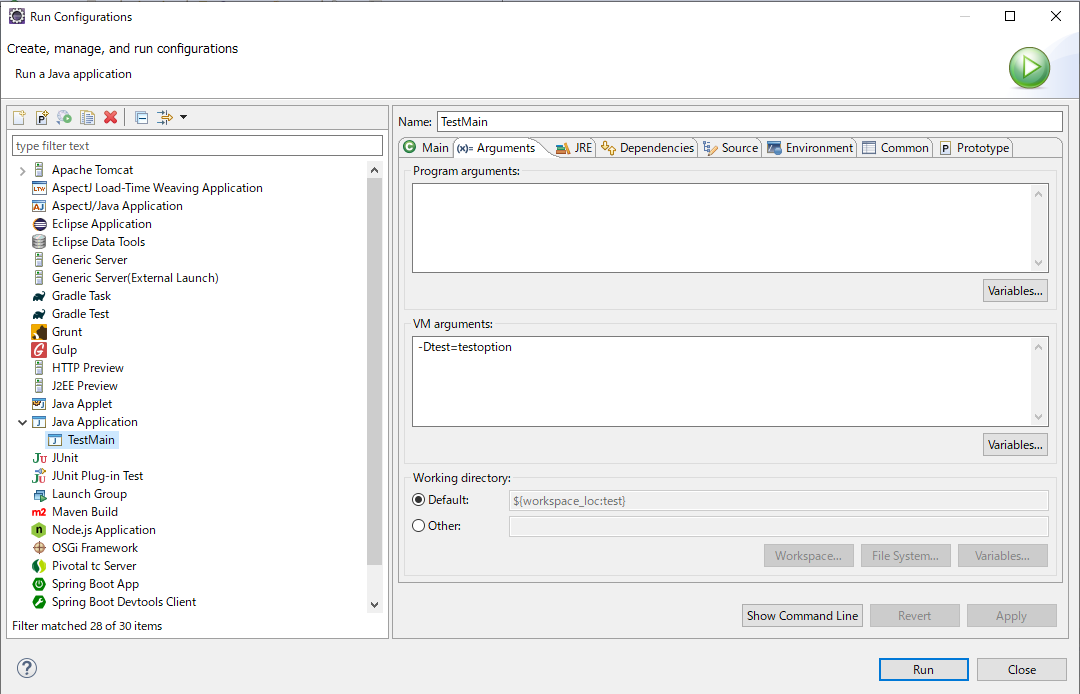
Add -Dtest=testoption to the Eclipse run configuration as shown below.
Create a simple main class as shown below.
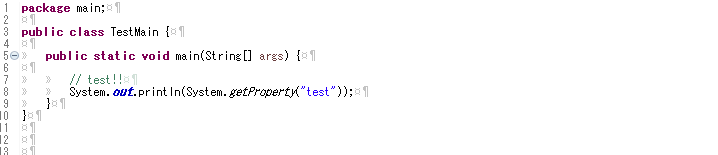
Running the class calls System.getProperty("test") and prints testoption.
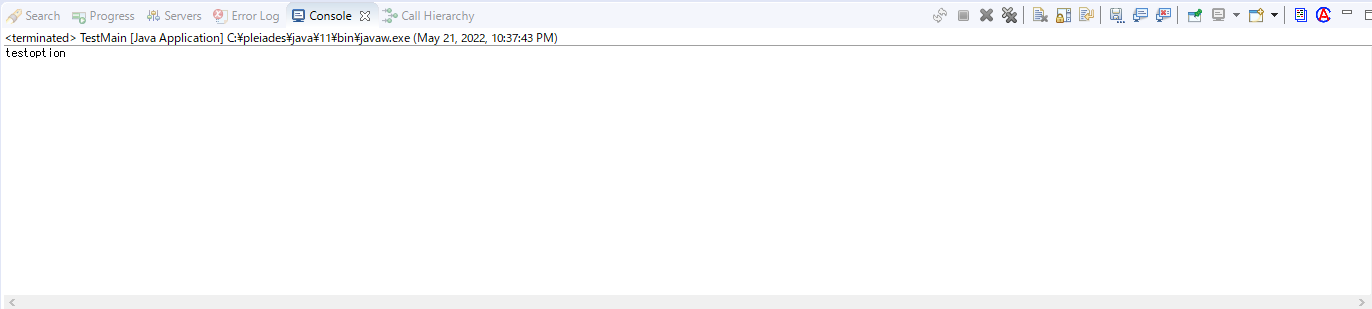
A property defined when the JVM starts is available through the System class for the lifetime of that JVM.
2. Conclusion
Use -Dname=value for non-secret JVM system properties that must vary between launches or environments. Read them with System.getProperty, and use a protected configuration source rather than a command-line argument for credentials or other secrets.
Official references
■INFORMATION
■PROFILE
■CONTACT