Apache Tomcat Downloads: Binaries, Source, Versions, and Verification
Publication Date:
Updated:
INFORMATION > Apache Tomcat Downloads: Binaries, Source, Versions, and Verification
Bottom line: Choose a supported Tomcat family that matches your Jakarta Servlet API and Java runtime, download the binary archive from the official site for deployment, and verify its digest or signature. Source archives are for reading or building Tomcat itself.
What you'll learn
- How Tomcat 9, 10.1, and 11 differ in API namespace and Java requirements.
- When to use a binary distribution, source archive, package manager, or container image.
- Why old archives such as 9.0.27 must not be treated as current secure releases.
Who this is for: Administrators and Java developers selecting a Tomcat distribution.
2026 context: The screenshots below document a 2021 Tomcat 9 download and archive lookup. Consult the official version matrix and Tomcat 9 end-of-support notice before choosing a branch; never deploy the archived example version to production.
Overview
Tomcat publishes both binary distributions and source archives. Download the appropriate file from the official Tomcat site.
Table of Contents
1. How to download pre-built files
Use a binary distribution to run Tomcat and deploy an application. Use a source archive only when inspecting Tomcat’s implementation or building Tomcat itself. The two formats are covered separately below.
1-1. Download the latest version
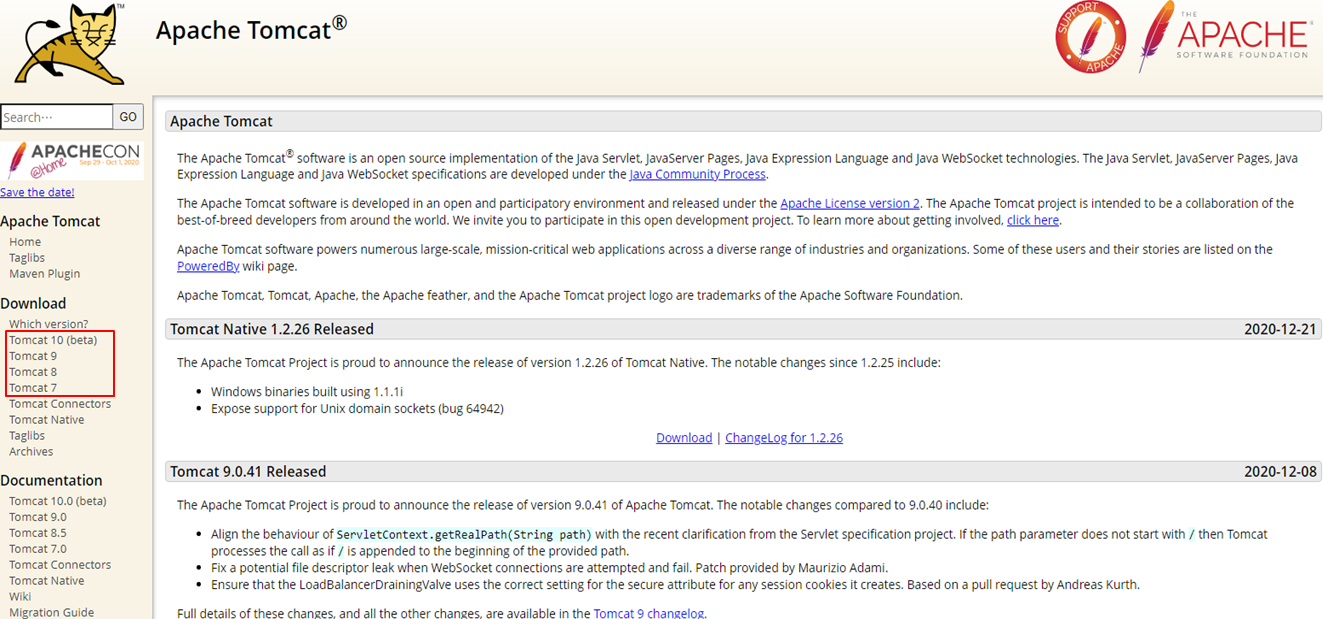
Open the official Tomcat site and select the supported release family required by the application.
Select the required release family in the area highlighted in the screenshot.
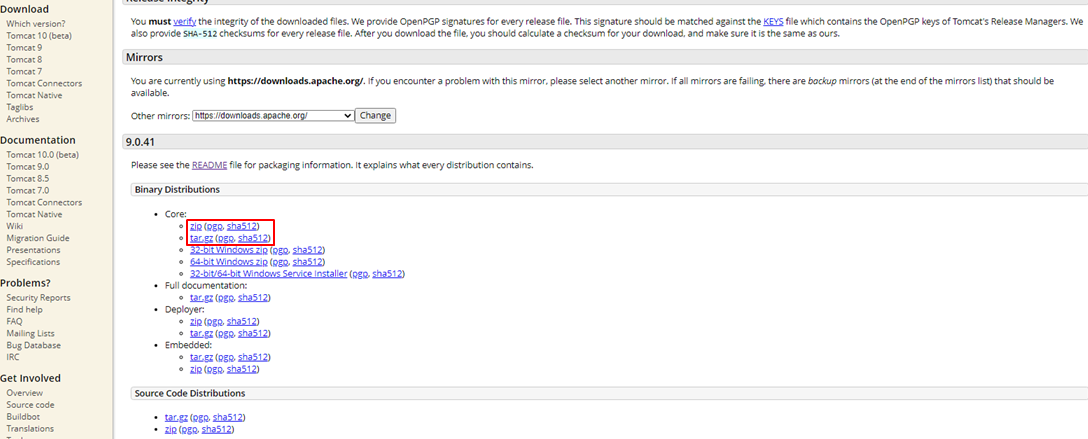
Click "zip (pgp, sha512)" to download to Windows or "tar.gz (pgp, sha512)" to download to Linux from the red frame in the figure below.
1-2. Download Past Versions
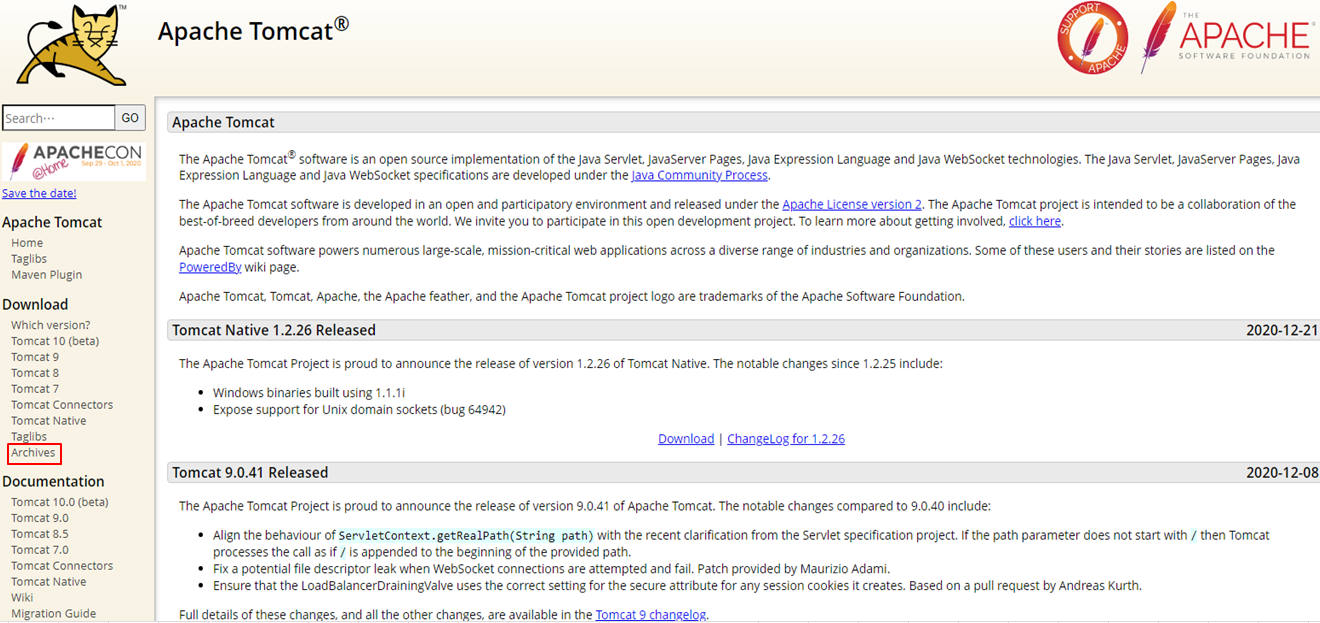
This historical example uses the Tomcat archive to locate v9.0.27; v9.0.41 was the latest Tomcat 9 release when the screenshots were captured on January 6, 2021.
Click on "Archives" in the red frame in the figure below.
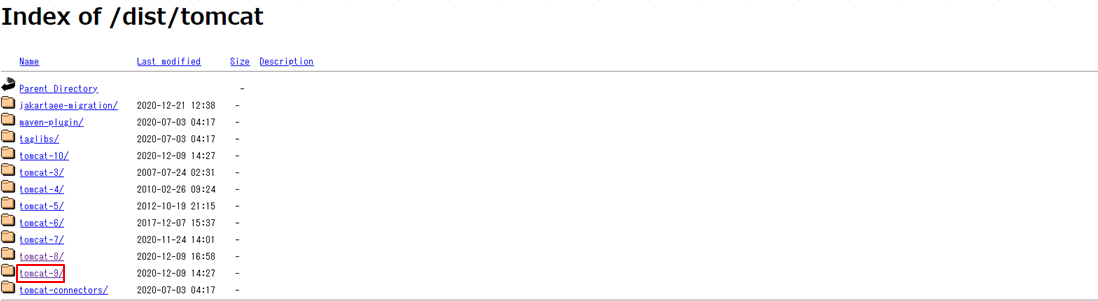
Click on "tomcat-9/" in the red frame in the figure below.
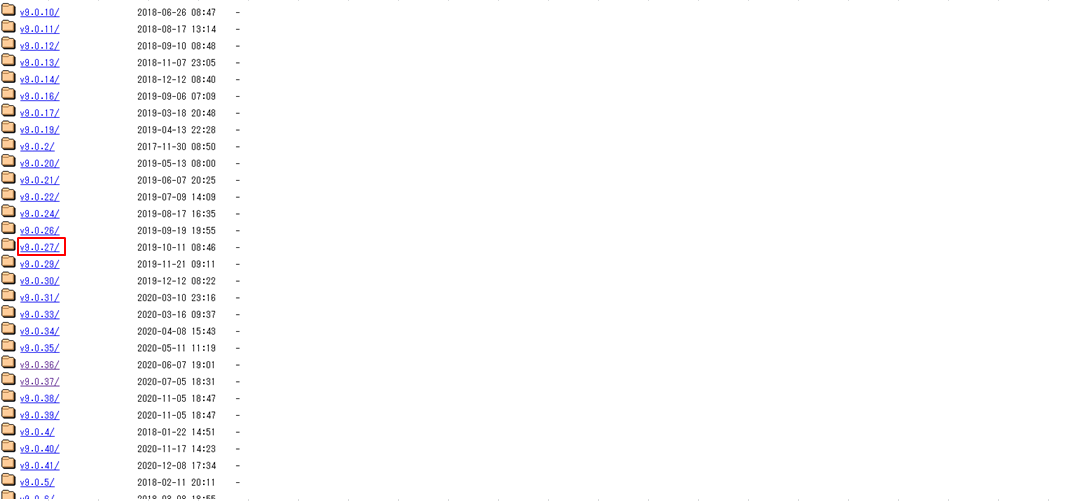
Click "v9.0.27/" in the red frame in the figure below.
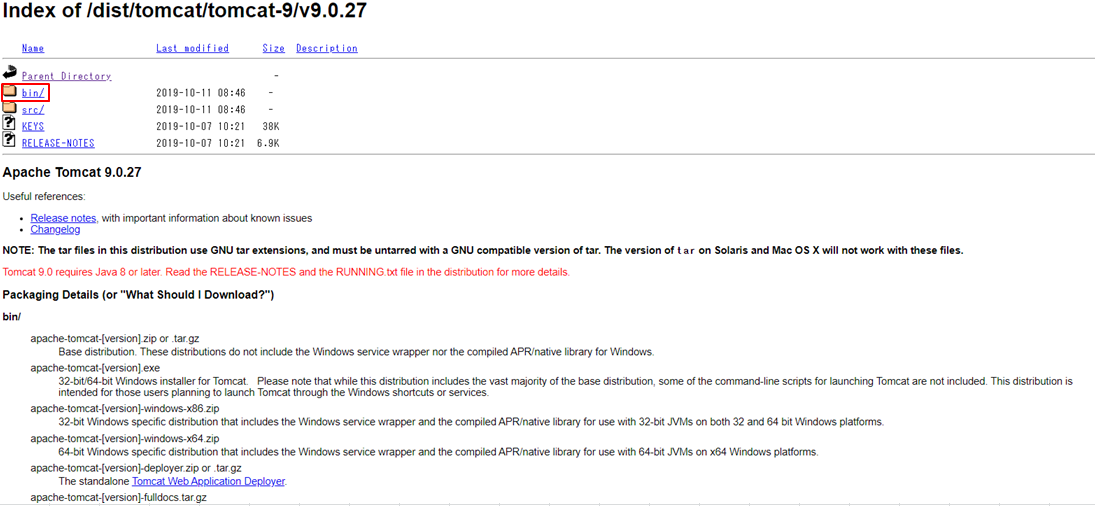
Click on "bin/" in the red frame in the figure below.
Click on the red frame in the figure below. Click "apache-tomcat-9.0.27.zip" for Windows or "apache-tomcat-9.0.27.tar.gz" for Linux.
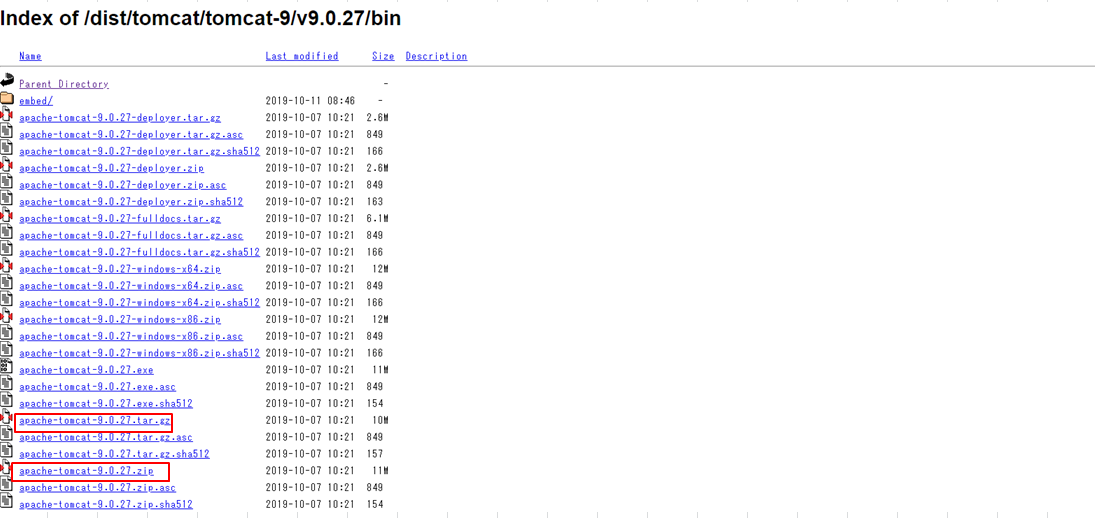
These are the ways to download past versions.
2. How to download source files
The source archive contains Tomcat’s Java source code. It is suitable for code inspection or a source build, but it is not a ready-to-run server distribution.
2-1. Download the latest version
Download from the following site.
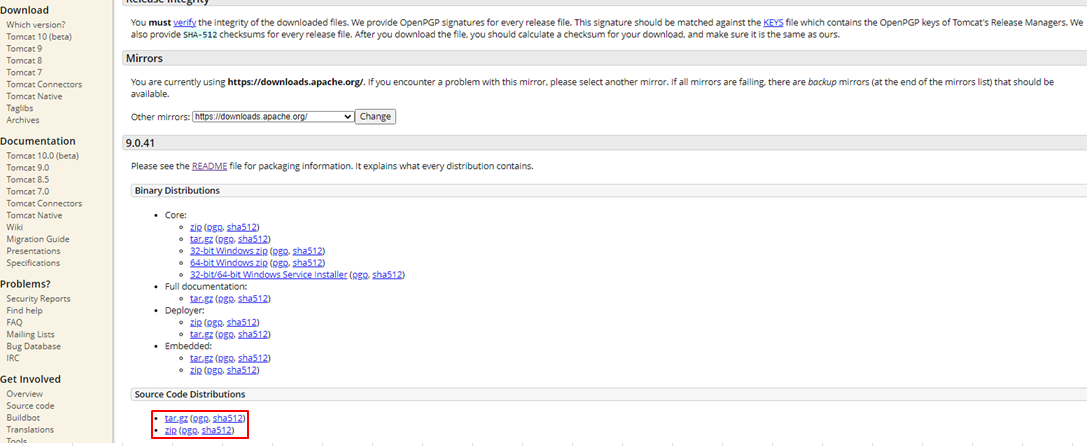
Click on the version you wish to obtain from the red frame in the figure below.
Click "zip (pgp, sha512)" to view the source in a Windows environment or "tar.gz (pgp, sha512)" to view the source in a Linux environment from the red frame in the figure below to download.
The download is now complete.
2-2. Download Past Versions
This historical example uses the Tomcat archive to locate v9.0.27; v9.0.41 was the latest Tomcat 9 release when the screenshots were captured on January 6, 2021.
Click on "Archives" in the red frame in the figure below.
Click on "tomcat-9/" in the red frame in the figure below.
Click "v9.0.27/" in the red frame in the figure below.
Click "src/" in the red frame in the figure below.
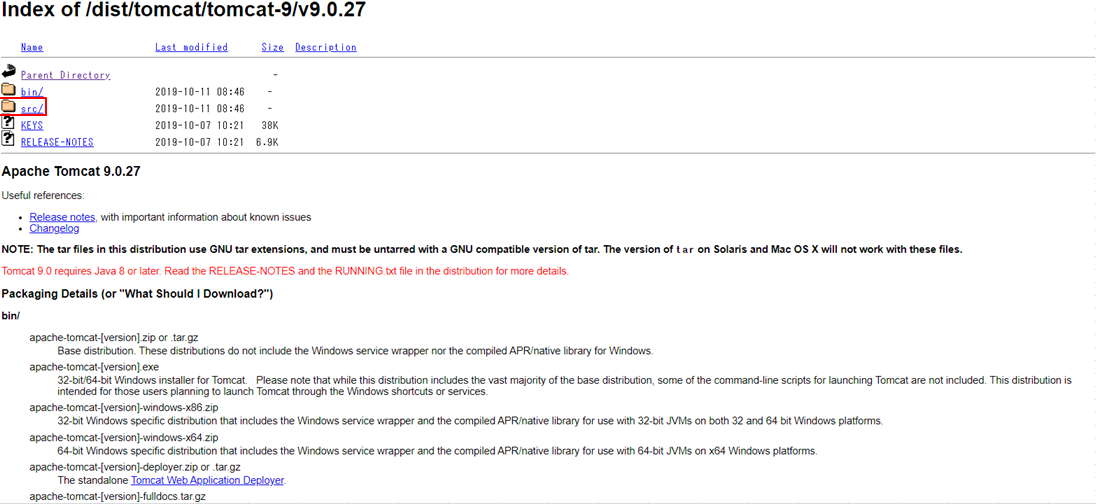
Click on the red frame in the figure below. Click on "apache-tomcat-9.0.27-src.zip" to view the source in a Windows environment, or "apache-tomcat-9.0.27-src.tar.gz" to view the source in a Linux environment.

These are the ways to download past versions.
3. Conclusion
The official download page provides binary distributions for running Tomcat and source archives for inspection or source builds.
Use the binary archive to run Tomcat and the source archive to inspect or build the server itself.
Official references
■INFORMATION
■PROFILE
■CONTACT